Updates
Every feature we've shipped, newest first — what it does and where to find it in the app.
May 2026
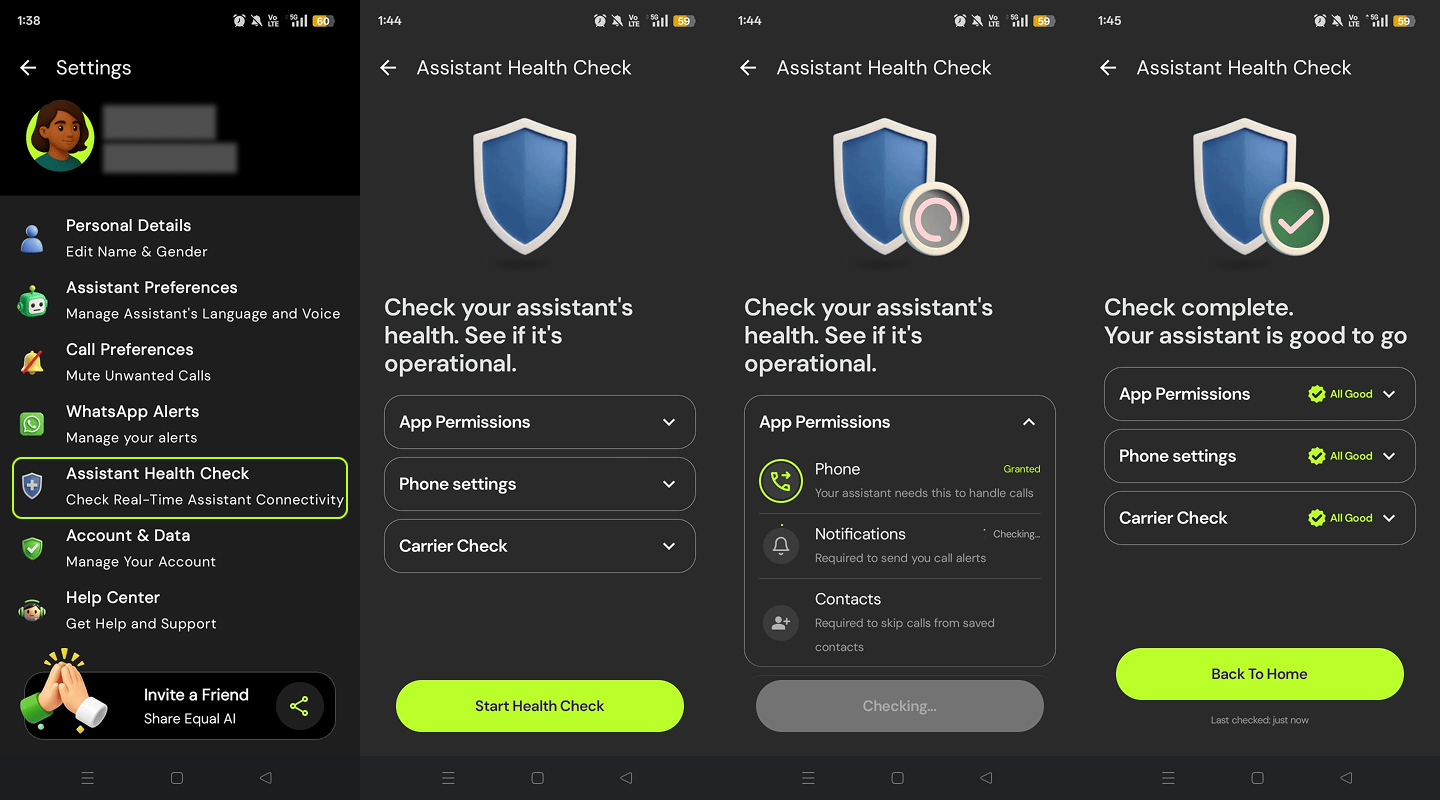
2 updatesAssistant Health Check
May 21st, 2026Is your assistant missing calls or not forwarding correctly? Run a Health Check and Equal AI will diagnose the issue and fix it automatically. If we detect a problem in the background and can't resolve it, you'll see a banner prompting you to run the check
How to Access: Go to Settings → Assistant Health Check. Or tap the banner alert if one appears.
Language Preferences
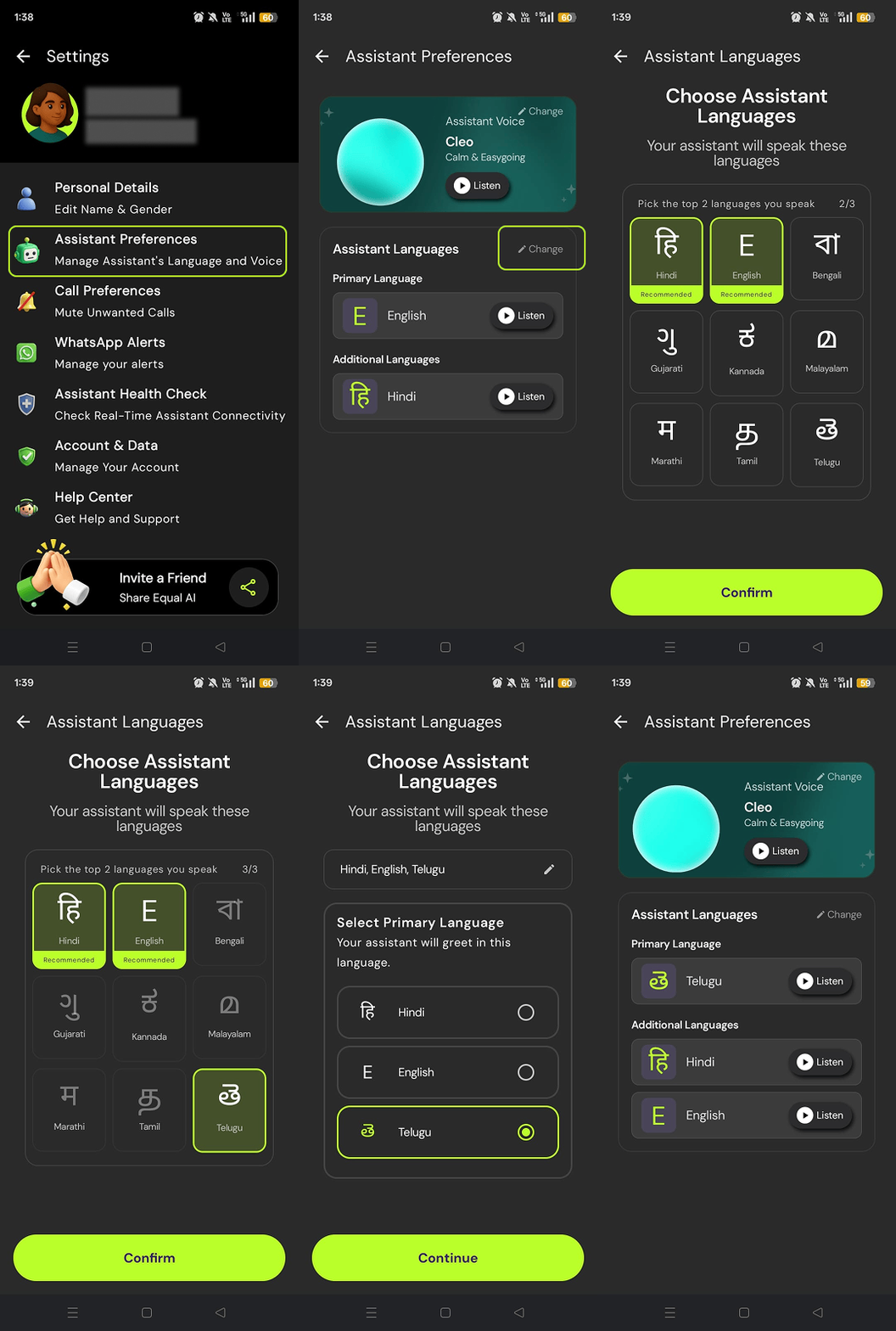
May 15th, 2026Your assistant now speaks your language — literally. Choose up to 3 languages from English, Hindi, Telugu, Tamil, Kannada, Malayalam, Marathi, Bengali, and Gujarati, and your Equal AI assistant will handle calls in the ones that matter most to you. No more missed context because of a language mismatch.
How to Access: Go to Settings → Assistant Preferences → Language Preferences
April 2026
4 updatesMute by Category
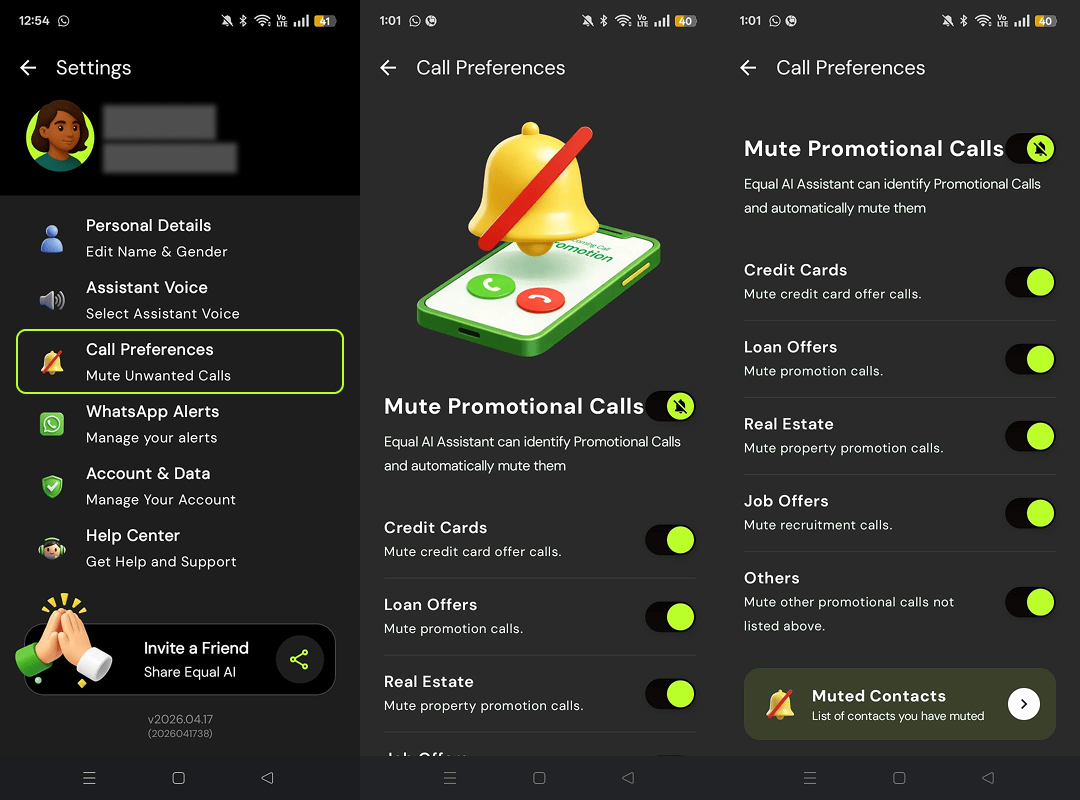
Apr 17th, 2026Not all promotional calls are the same — so why mute them all? You can now mute calls by category and Equal AI will automatically silence only the ones that don't interest you. Choose from Credit Card, Loan Offer, Real Estate, Job Offer, and Others.
How to Access: Go to Settings → Call Preferences → Mute by Category
Delete Account
Apr 2nd, 2026You can now permanently delete your Equal AI account directly from the app. Once deleted, your account and all associated data will be removed. This action is irreversible, so make sure you're ready before confirming.
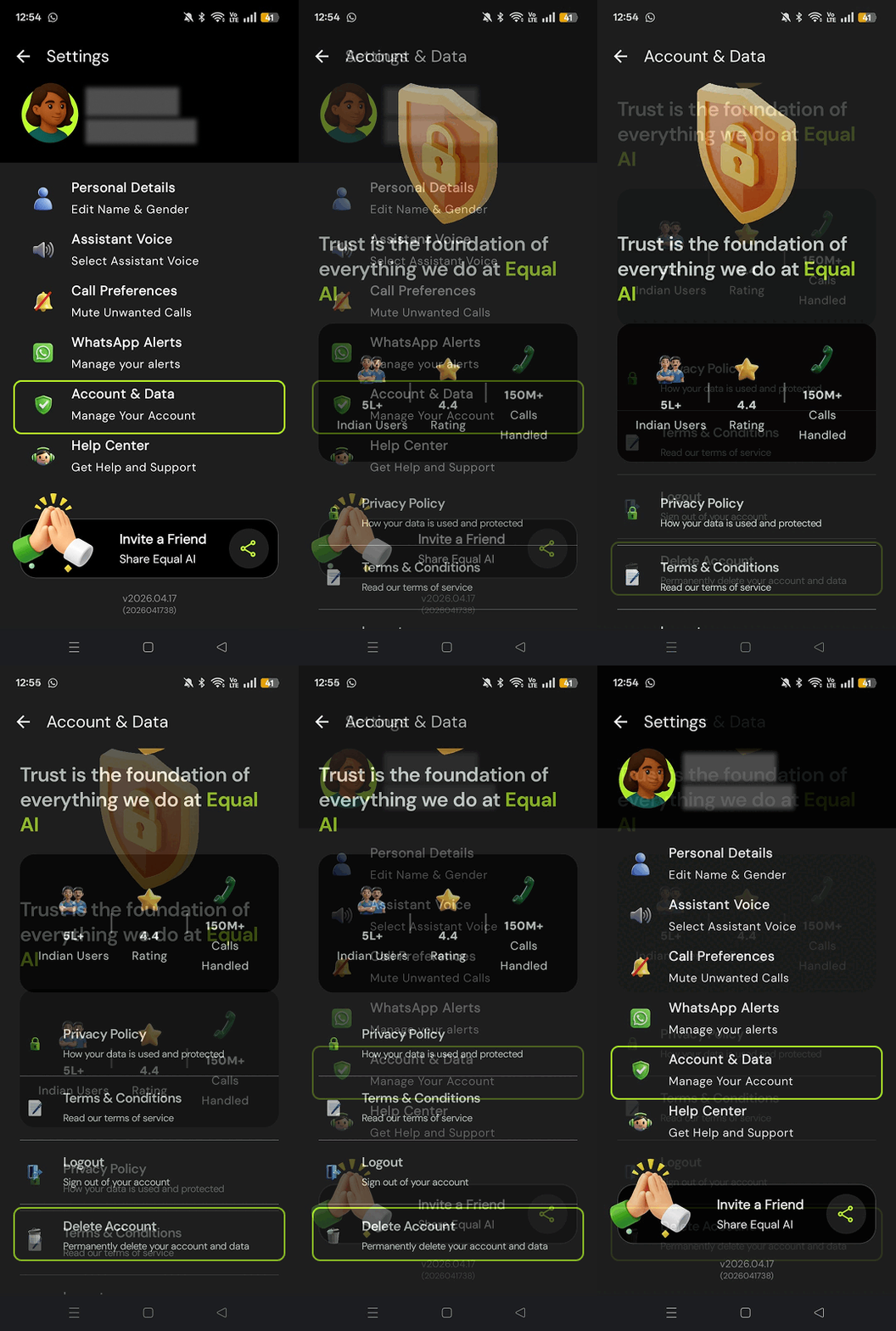
How to Access: Go to Settings → Account & Data → Delete Account.
Log Out
Apr 2nd, 2026Signing out of Equal AI is now just a tap away. Whether you're switching devices or simply stepping away, you're in control of when you're logged in.
How to Access: Go to Settings → Account & Data → Log Out
Mute Promotional Calls — Your Way
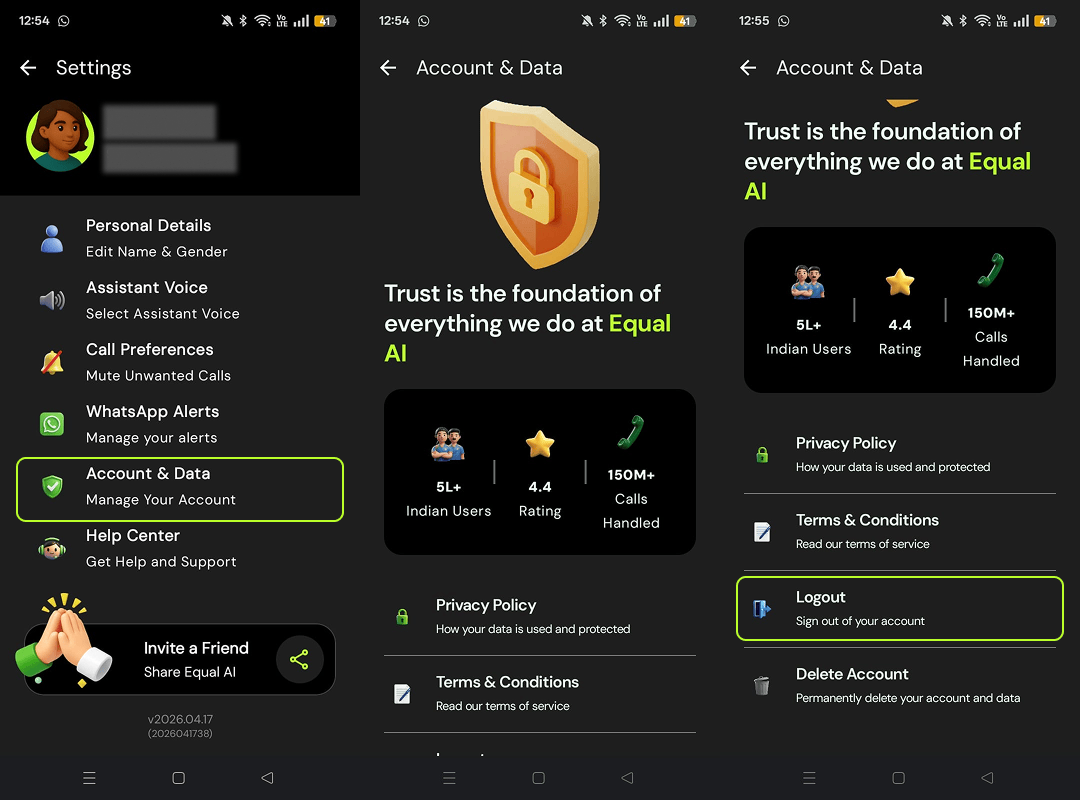
Apr 2nd, 2026You now have full control over promotional calls. Turn on Global Mute and Equal AI will automatically silence all promotional calls — no action needed on your end. Prefer to mute specific callers only? You can do that too, right from the conversation page.
How to Access: Go to Settings → Call Preferences. To mute a specific caller, tap the ⋮ on the conversation page of the specific caller.
February 2026
6 updatesPromotional Call Identification
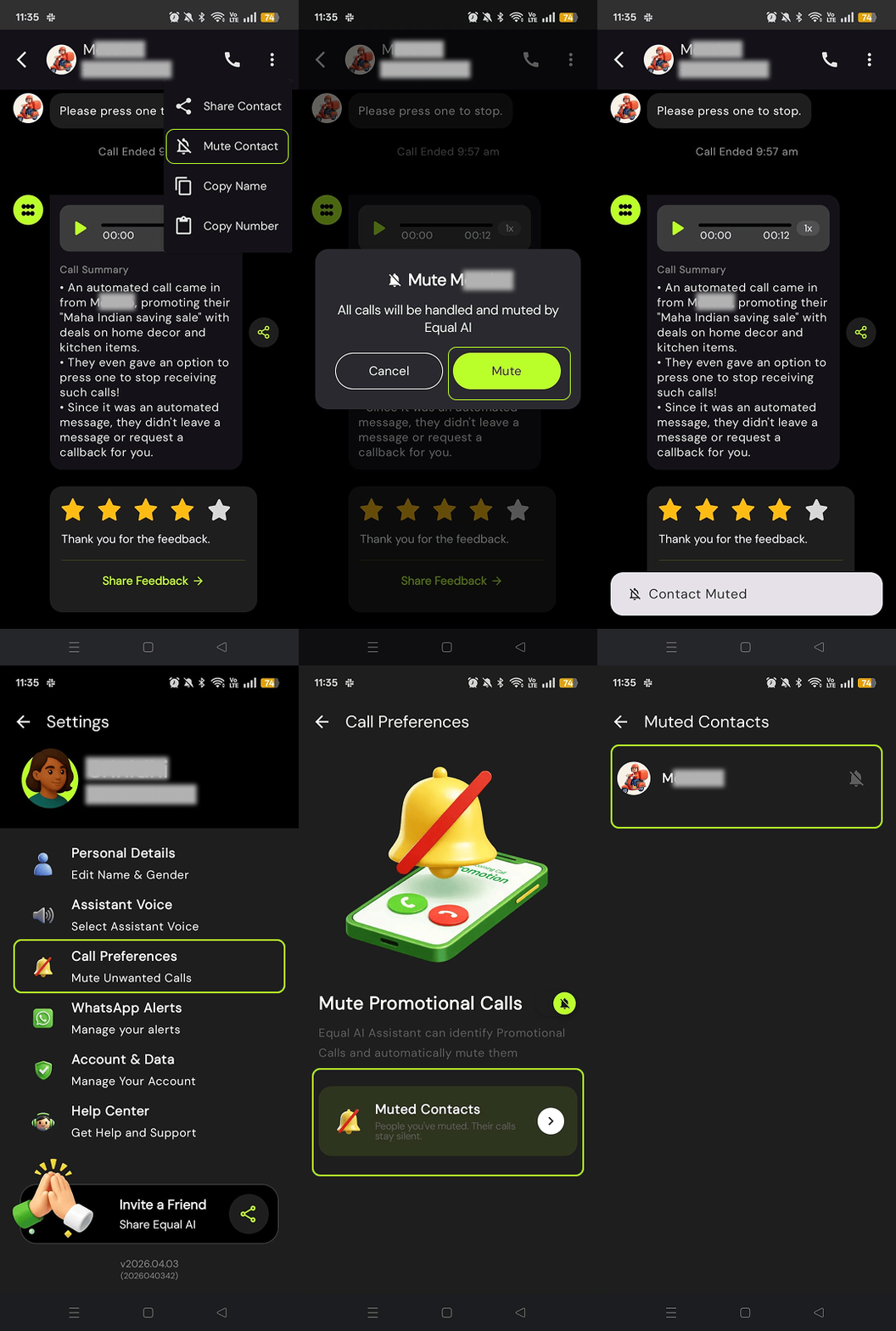
Feb 13th, 2026You told us you wanted fewer interruptions — we listened. Stop picking up calls that waste your time. Your Equal AI now identifies when a call is promotional or spam based on the conversation. No setup, no manual blocking. It just works.
How to Access: Works automatically in the background — no setup needed.
Pause Your Assistant
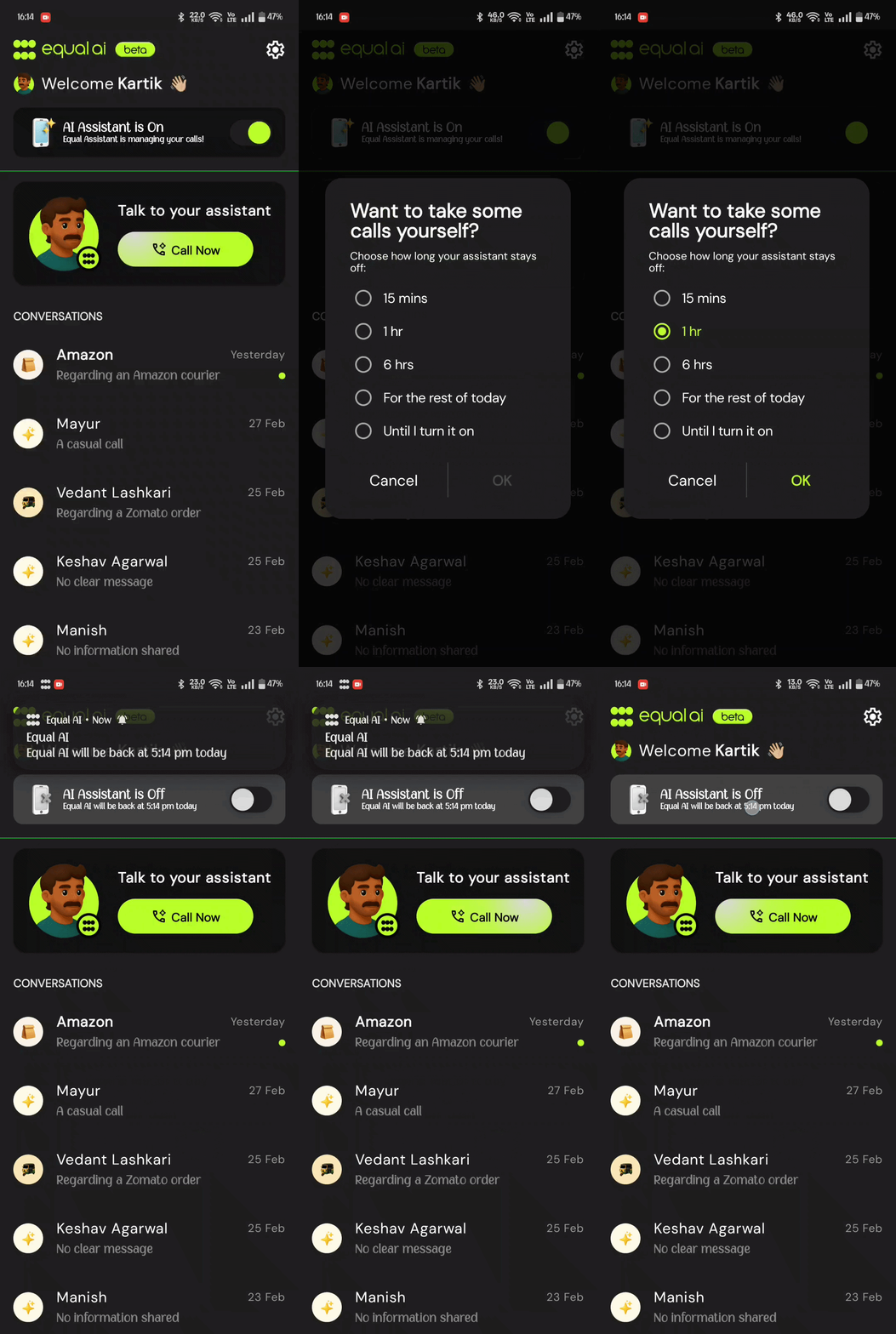
Feb 13th, 2026Want to answer calls yourself? Set the time, and Equal AI will step aside. It resumes automatically when you're ready. No reminders needed.
How to Access: Tap the toggle on the Home screen. Select how long you'd like to pause from the options that appear.
One-Line Summary
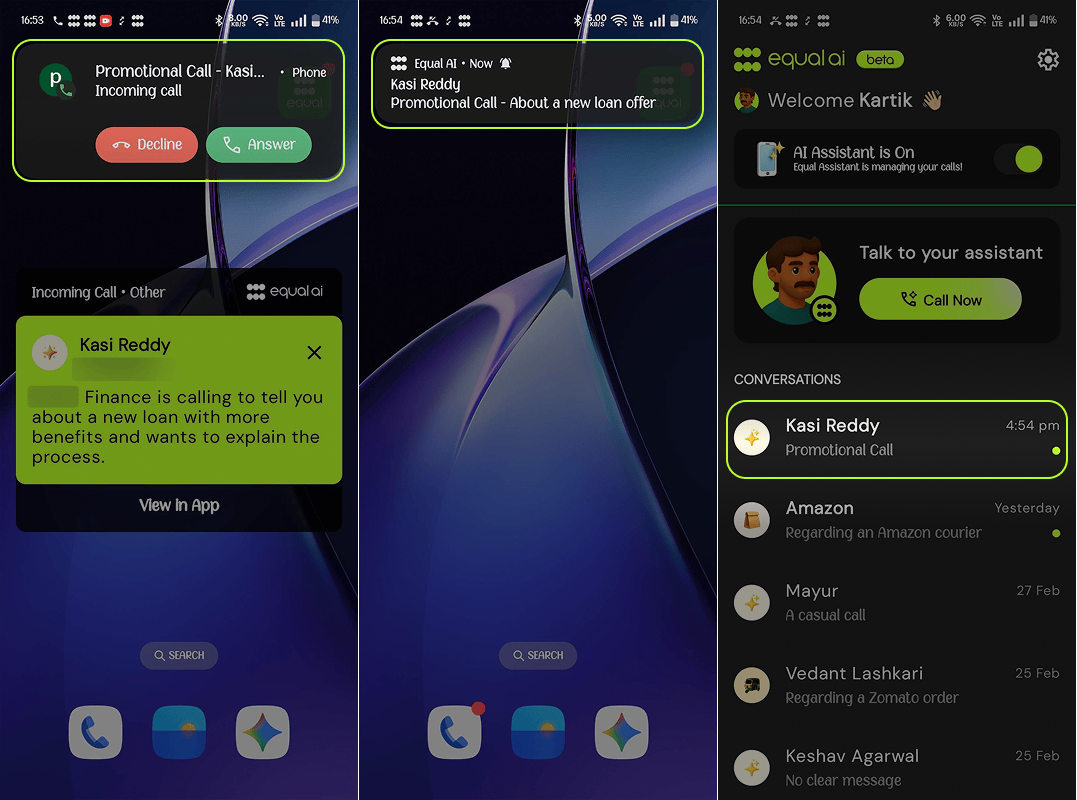
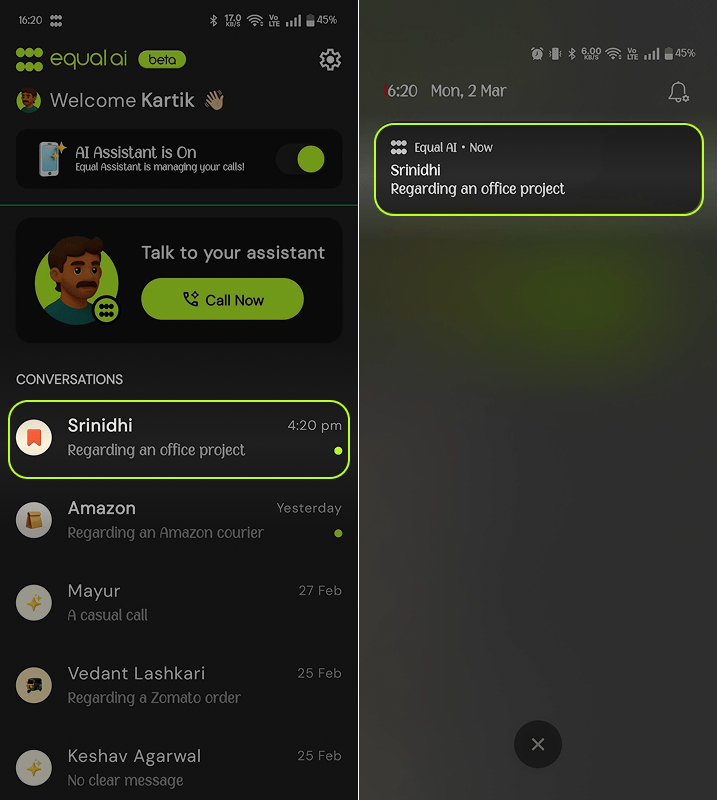
Feb 13th, 2026Every call now arrives with a one-line summary right in your notification and call log preview — so you know what it was about without opening anything. When you need the full story, tap any call conversation to read the complete summary at your own pace.
How to Access: Appears automatically in your call log and notifications. Tap any entry to read the full summary.
Caller Name on Ring Screen
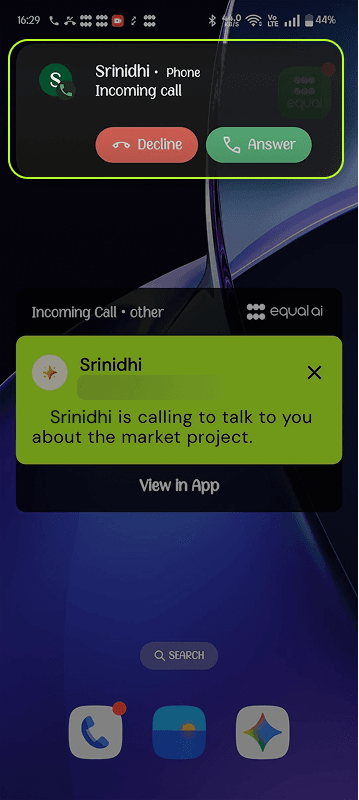
Feb 13th, 2026The identified caller's name now appears on your ring screen instead of “Equal AI Assistant”. You have the full context you need to decide.
How to Access: Visible automatically on your ring screen whenever your Assistant screens a call.
Help Center
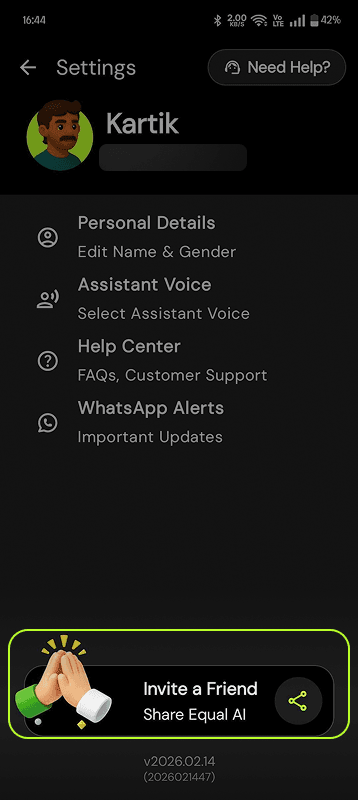
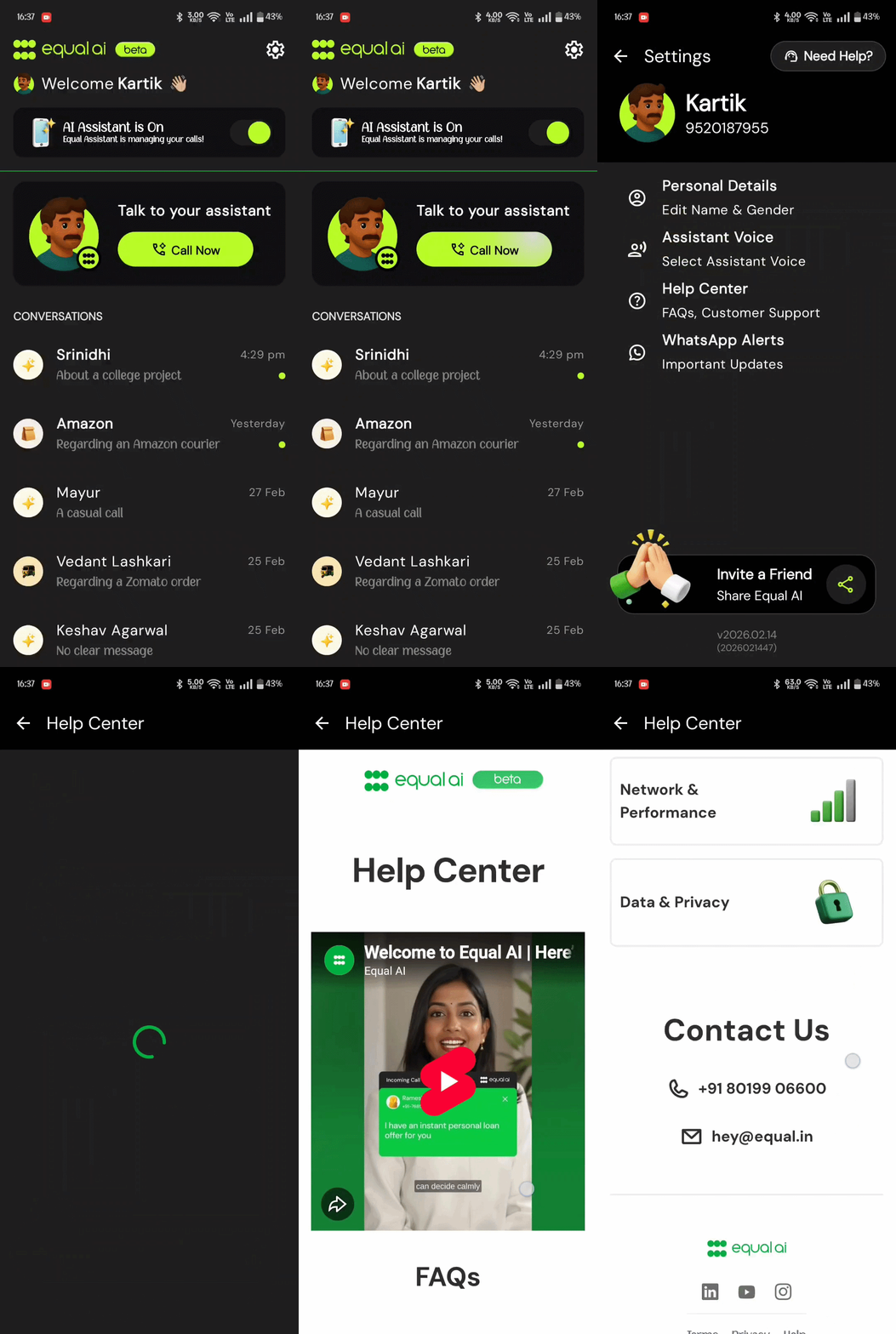
Released: Feb 2026The new Help Center inside the app has tutorials, guides and answers to FAQs. Everything you need to get the most out of Equal AI is now in one place.
How to Access: Go to Profile → Help Center
Invite a Friend
Released: Feb 2026You can now invite friends directly from your profile with a single tap. Help someone you know navigate calls – the Equal way!
How to Access: Go to Profile → Invite a Friend